Formulas written for you
Describe it in plain English. AI writes the formula, you review it, and it runs on every row for free.
Lead enrichment spreadsheet
Import a CSV or receive leads by webhook. Then add cleaning, AI, API calls, lookups and checks as layers. Each layer fills in by itself when new rows arrive.
Bring your own AI and API keys. Cleaning, formulas and lookups need none.
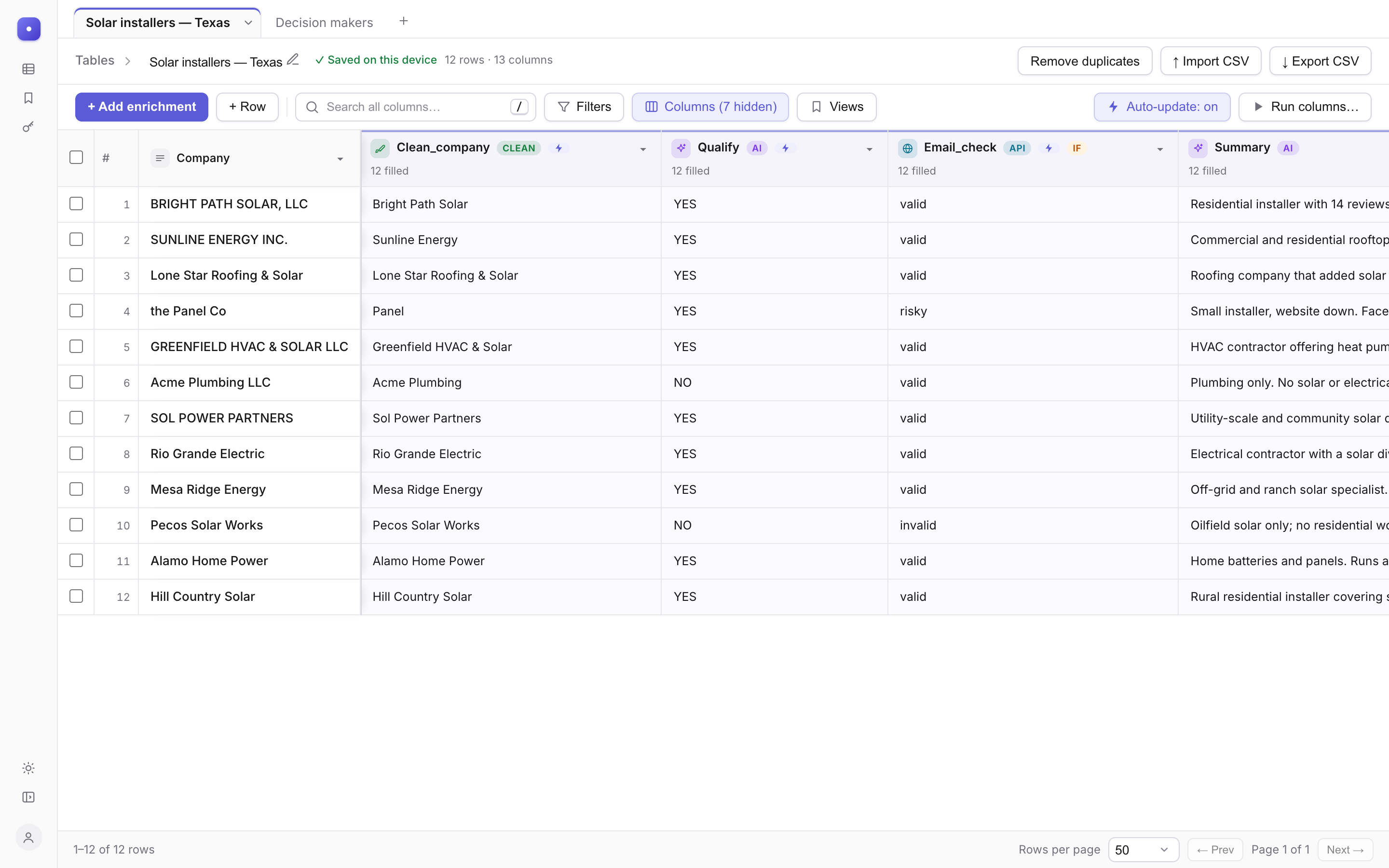
Every column you add is a layer that reads the ones below it. Change a cell and everything above it updates.
CSV files of any size, or rows posted by Smartlead, Instantly, Make, n8n or Zapier to a private webhook URL.
20,000 rows in 1.4 sFix CAPS, drop Inc and LLC, split names, turn websites into domains, format phone numbers. Instant and free.
11 cleanersAsk Claude or OpenAI about every row. Give it a system prompt, or ask for structured fields you can use in the next column.
your keyCall any service with headers and a JSON body. Keep keys in one place and reuse the setup in every table.
proxy includedRun a column only when a rule matches. Try source A, then B, and keep the first answer (waterfall).
run if…Turn a list inside a cell into rows in another sheet, look values up across sheets, or export a clean CSV.
sheetsWrite the rules once in the system prompt, then the question per row. Insert any column with a slash. Long answers show as a readable snippet, and the full text is one click away.
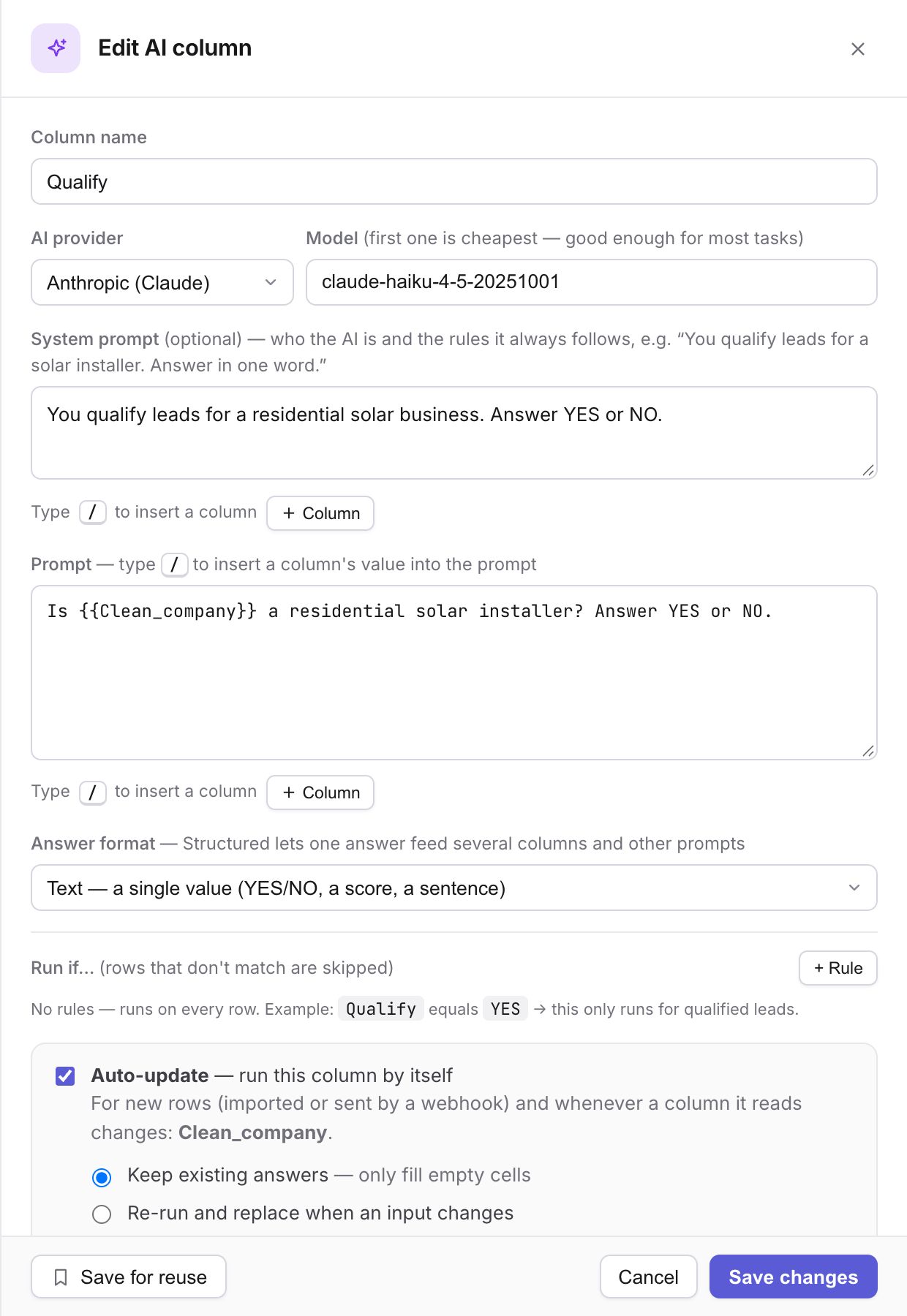
When an API returns a list inside a cell, send each item to another sheet as its own row and keep the company details with it. Run it again and the same rows update, never duplicate.
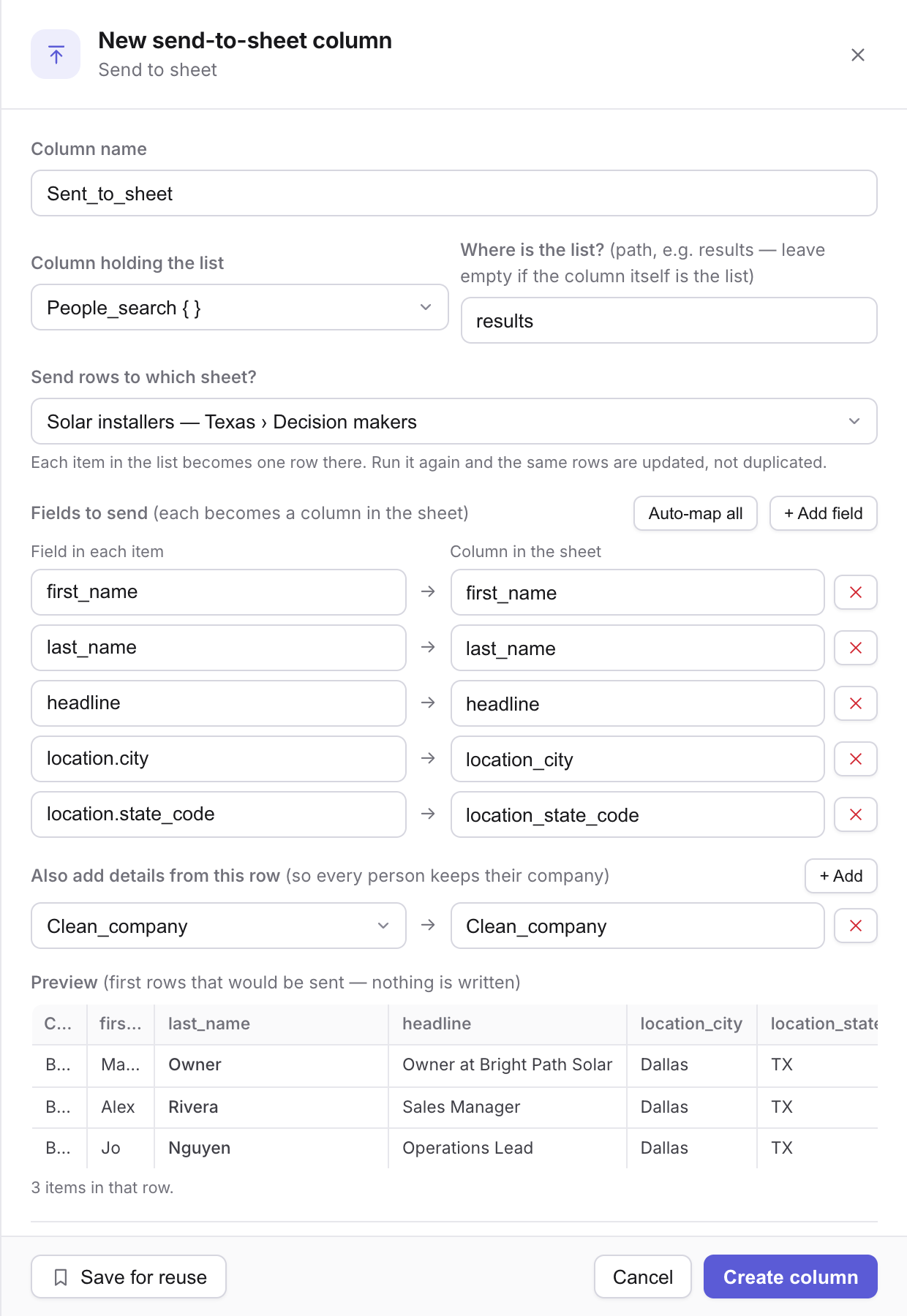
Find the matching row in another sheet and bring back one value, the whole row, or a count. Loose matching treats https://www.acme.com/about and acme.com as the same company.
Give any table a secret URL. Tools that can call a webhook post to it, new columns appear for new fields, and rows show up in the open table within seconds. Replace or switch off the URL at any time.
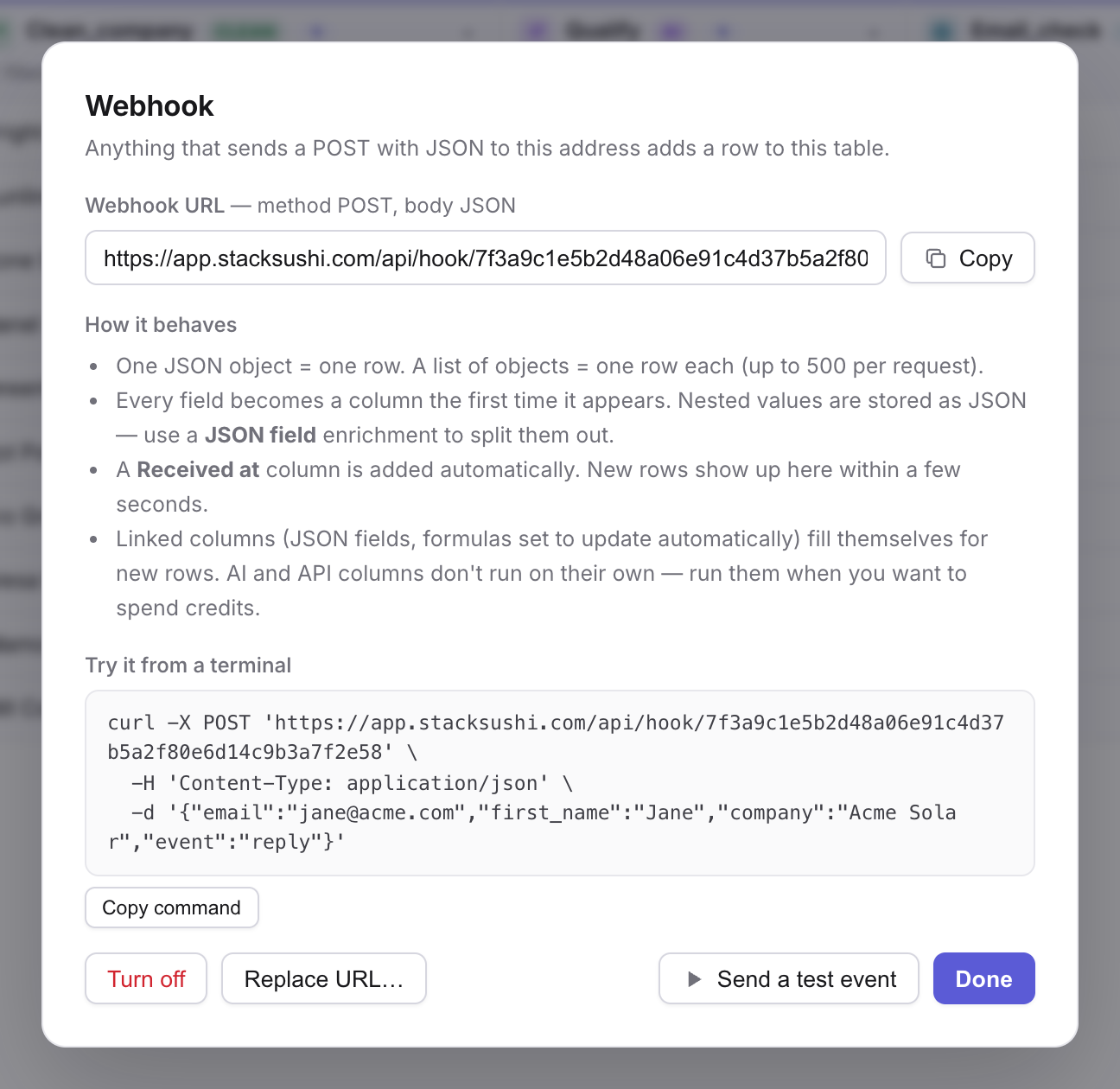
Auto-update runs a column for new rows and when a column it reads changes, and it follows the chain: verify, then split, then decide, then write. Pause everything with one button.
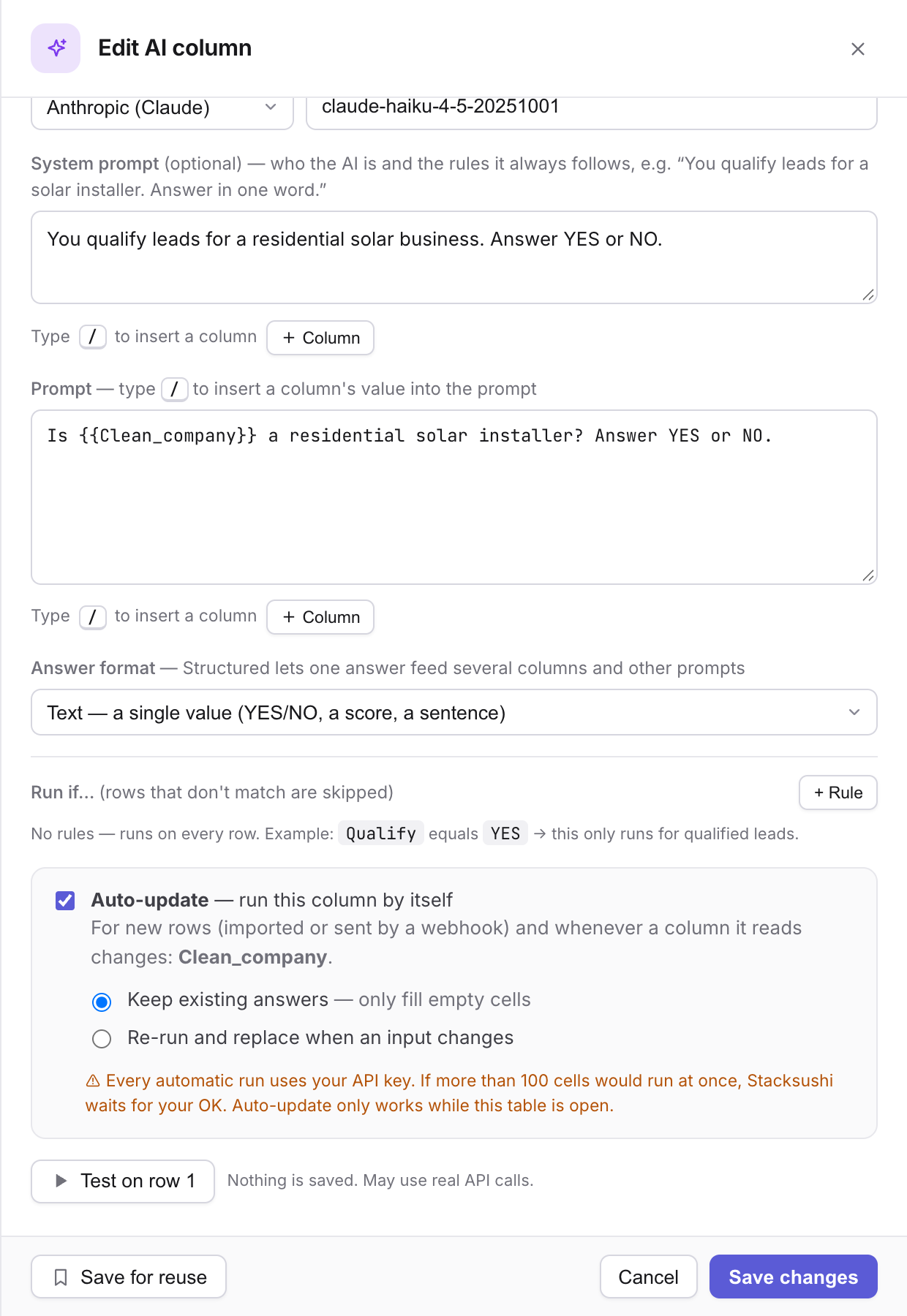
Describe it in plain English. AI writes the formula, you review it, and it runs on every row for free.
Click a reply to see its fields. Add any field as its own column, or use it inside the next prompt with a slash.
Set up an API call once, with its key. Add it to any table in two clicks.
Save a filter, sort and set of columns as a named view. Filters stay put after a refresh.
Undo the last run. Retry only the rows that failed. Hover a red cell to see why.
Follows your system. Minimize the sidebar when you want the whole grid.
Nothing paid runs until you switch it on, and big batches always ask first.
Every plan has every feature. You pay only when you call an API, and you decide when that happens. Bring your own AI keys; Stacksushi never marks them up.
What is a credit? One request to a data provider (Apollo, Findymail, Prospeo, MillionVerifier, Apify or any API through our built-in proxy) that got an answer. A "no result found" counts, because the provider answered. A failed request is free.
What never uses credits: importing and exporting, cleaning, formulas, lookups, JSON fields, sheets, webhooks, filters, and AI columns that use your own Claude or OpenAI key.
Resets on your own billing date. Unused credits do not roll over.
One credit is one request to a provider through the Stacksushi proxy that got an answer, including "no result found". Failed requests are free, and so is everything that runs in your browser, including AI columns with your own key. Credits reset on your billing date and do not roll over. When you run out, runs that need an API stop with a clear message while everything else keeps working. Rows stored are limited by plan (5,000 on Free up to 50,000 on Growth) and workbooks are unlimited. If you reach a limit, Stacksushi only stops you adding more. Nothing you have is ever deleted.
Only for AI and API columns. Cleaning, formulas, lookups, sheets and webhooks work without any key. You add Anthropic or OpenAI keys, and keys for any other API, in Settings.
Auto-update runs while the table is open in your browser. Rows that arrive while it is closed are picked up when you open it again, and you choose whether the paid steps run.
In your account in the cloud, or only in your browser if you choose not to sign in. You can export any table to CSV at any time.
No. Stacksushi works on the leads you bring and the services you connect, so you choose the data providers and pay them directly.
A table of 20,000 rows imports in about a second and stays responsive. Tables above roughly 100,000 rows per sheet will feel slow, so split them across sheets.